
Personalized Learning in Seesaw: A Teacher’s Guide to Targeted Instruction
By Kelsey Ray, Bradfield Elementary
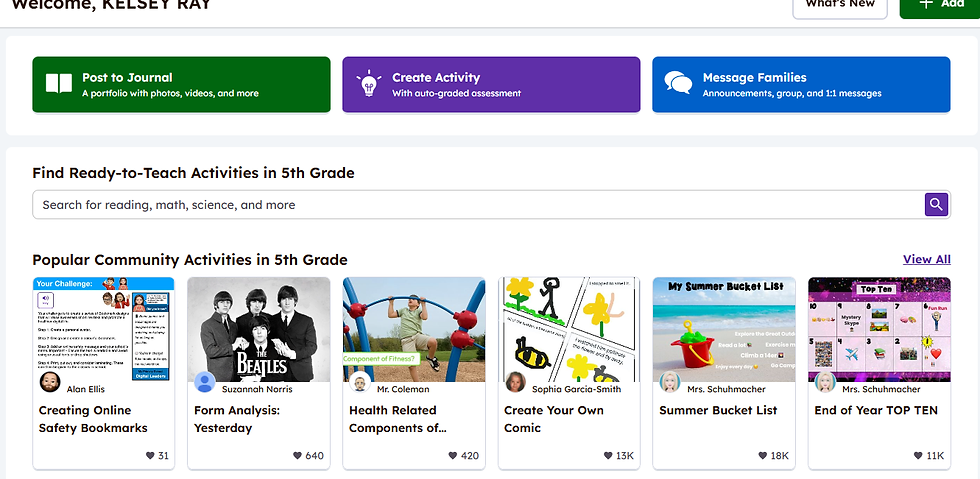
Seesaw can be used to personalize instruction based on what each student needs. Educators can use Seesaw to locate lessons that target specific standards and TEKs. The Seesaw Library offers a multitude of activities that are ready to use.
Personalized learning matters because it ensures that students get the exact support they need, when they need it. This post will explore how to locate lessons based on your students’ needs and how to use Seesaw activities to personalize instruction in an engaging environment.
What Is Seesaw?
Seesaw is a digital learning platform that functions both as a learning experience platform and a digital portfolio. Educators can use it to assign activities, track progress, and empower students to share their learning.
Seesaw includes pre-made activities created by the Seesaw team and other educators. You also have the option to create your own activities from scratch or adapt those that others have shared. The needs of your students—together with your curriculum and standards—will guide your steps in Seesaw as you design targeted instruction.
Why Use Seesaw in Education?
Seesaw makes differentiation manageable by allowing teachers to assign activities to individuals, small groups, or the entire class. This ensures that students practice the right skills at the right time, without being held back or left behind.
By using Seesaw:
Teachers can easily search by curriculum, standards, or topic.
Students receive meaningful, leveled activities that meet them where they are.
Instruction becomes more personalized, helping learners grow in both confidence and mastery.

How to Get Started: Examples of Finding Activities
Example 1: A 3rd Grade Math StudentA student is struggling with fractions. In Seesaw’s standards search, you can select your state, grade level, and language of instruction. The results show activities aligned directly with that standard. Teachers can preview and edit activities before assigning them, ensuring they meet the student’s needs.

Example 2: A Kindergarten Phonics LearnerA Spanish-speaking student is struggling with letter-sound relationships while learning through the Amplify curriculum. By selecting the grade, curriculum, state, and language, Seesaw provides over twenty correlations for this skill. Teachers can choose one or more activities for targeted practice.

Best Practices and Tips
When searching for an activity in the Seesaw Library, you can look by curriculum or standards depending on student needs:
By Curriculum – if students need extra practice on a skill currently being taught.
By Standards – if a student has not yet mastered a foundational concept.

💡 Teacher Tip: In my classroom, previewing activities in student view has often revealed small adjustments I needed to make before assigning them. This saved time and prevented confusion later.
Other best practices include:
Previewing every activity before assigning it.
Modifying lesson plans within Seesaw to fit your classroom needs.
Saving activities to “My Library” for future use.

By incorporating Seesaw activities into your teaching practice, you can engage students and focus on their individual needs. Start by searching for one activity that matches a skill gap in your class this week. Then, share your favorite discovery with a colleague or in your professional learning community. You will quickly see how Seesaw enhances personalized instruction in your classroom.
Additional Resources
I used AI for brainstorming and structural suggestions only. All final content, classroom examples, and personal reflections are my own.
